Etherscan: Manual Operations
Introduction
Like any other open protocol, Bob can be interacted with directly through a blockchain explorer like Etherscan.
In this guide, we will show you how to enter a vault, redeem from a vault, and sync the oracle price by manually interacting with the SablierBob contract on Etherscan.
Go to Contract Page
Head over to the Bob deployments list and click on the SablierBob contract address for your
chain. On Ethereum Mainnet, this is
0xC8AB7E45E6DF99596b86870c26C25c721eB5C9af.
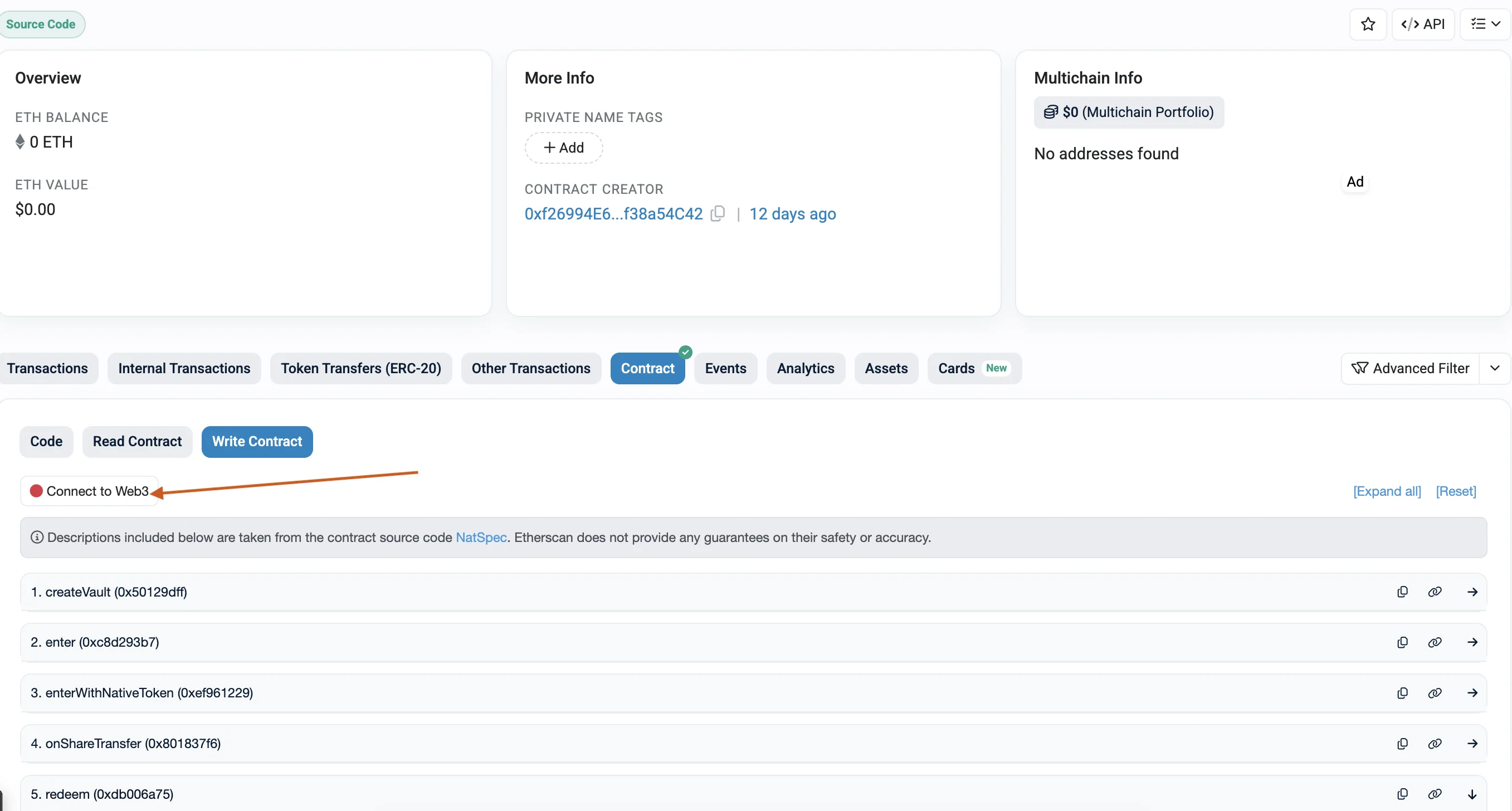
Click on the "Contract" tab, then the "Write Contract" sub-tab. Connect your wallet by clicking "Connect to Web3".
Depositing Tokens into a Vault
Prerequisites
Before entering a vault, you must approve SablierBob contract to spend your tokens. Go to the token's contract page on
Etherscan (e.g., WETH), find the
approve method, and set:
- spender: the SablierBob contract address
- amount: the amount you want to deposit (with decimals, e.g.,
10000000000000000000for 10 WETH)
Fill in Parameters
Open the enter method on the SablierBob Write Contract page.
Vault ID
The ID of the vault you want to deposit into.
Amount
The amount of tokens to deposit, decimals included. For WETH (18 decimals), 10 WETH is 10000000000000000000.
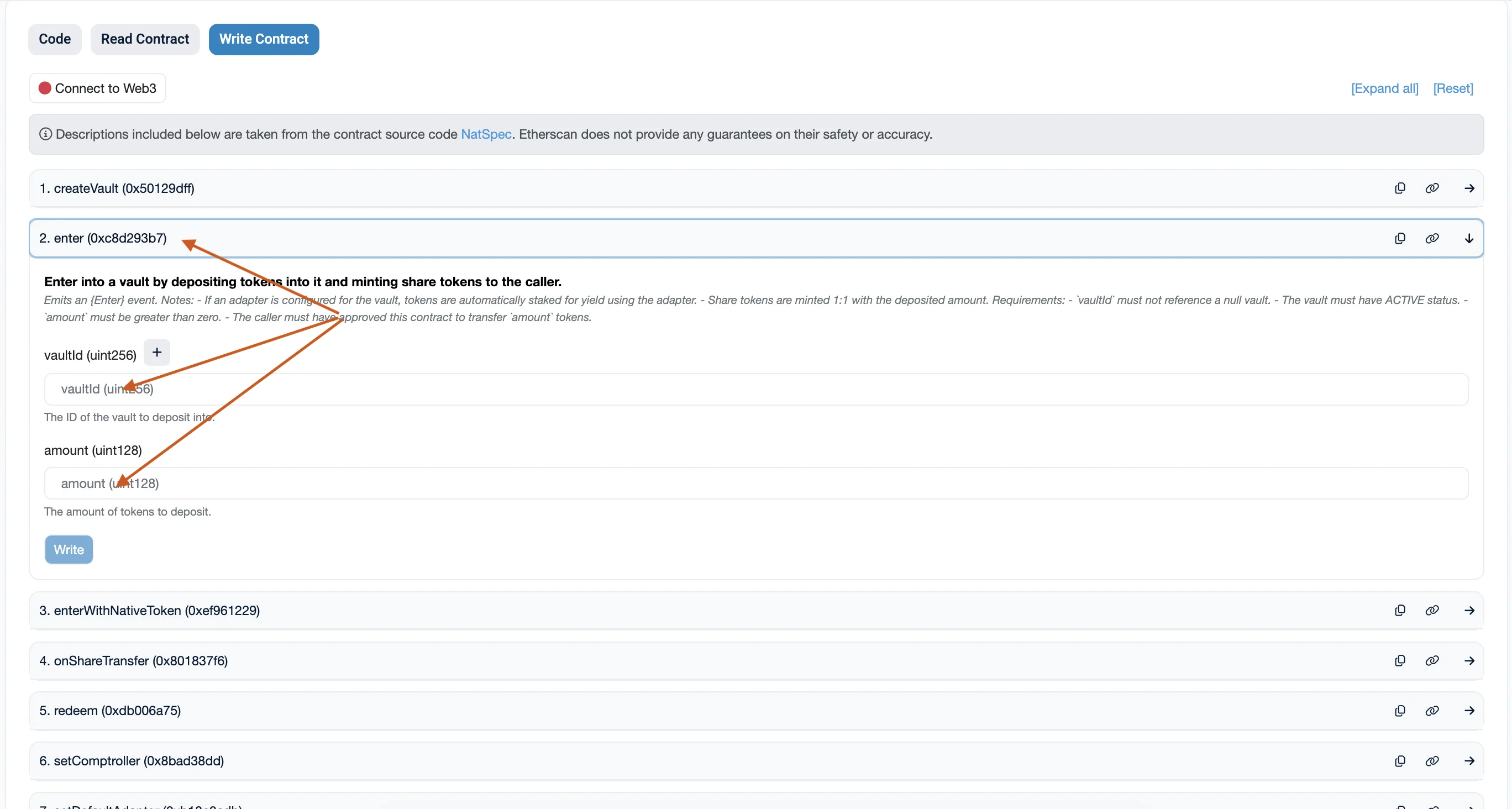
Click "Write" and confirm the transaction. You will receive share tokens 1:1 with the deposited amount.
Redeeming from a Vault
Once a vault has settled or expired, you can redeem your share tokens for the underlying tokens.
Open the redeem method.
Payable Amount
- For vaults with an adapter (e.g., WETH/Lido): set to
0. - For vaults without an adapter: set to the minimum fee in ETH. You can check this by calling
calculateMinFeeWeion the Read Contract tab.
Vault ID
The ID of the vault to redeem from.
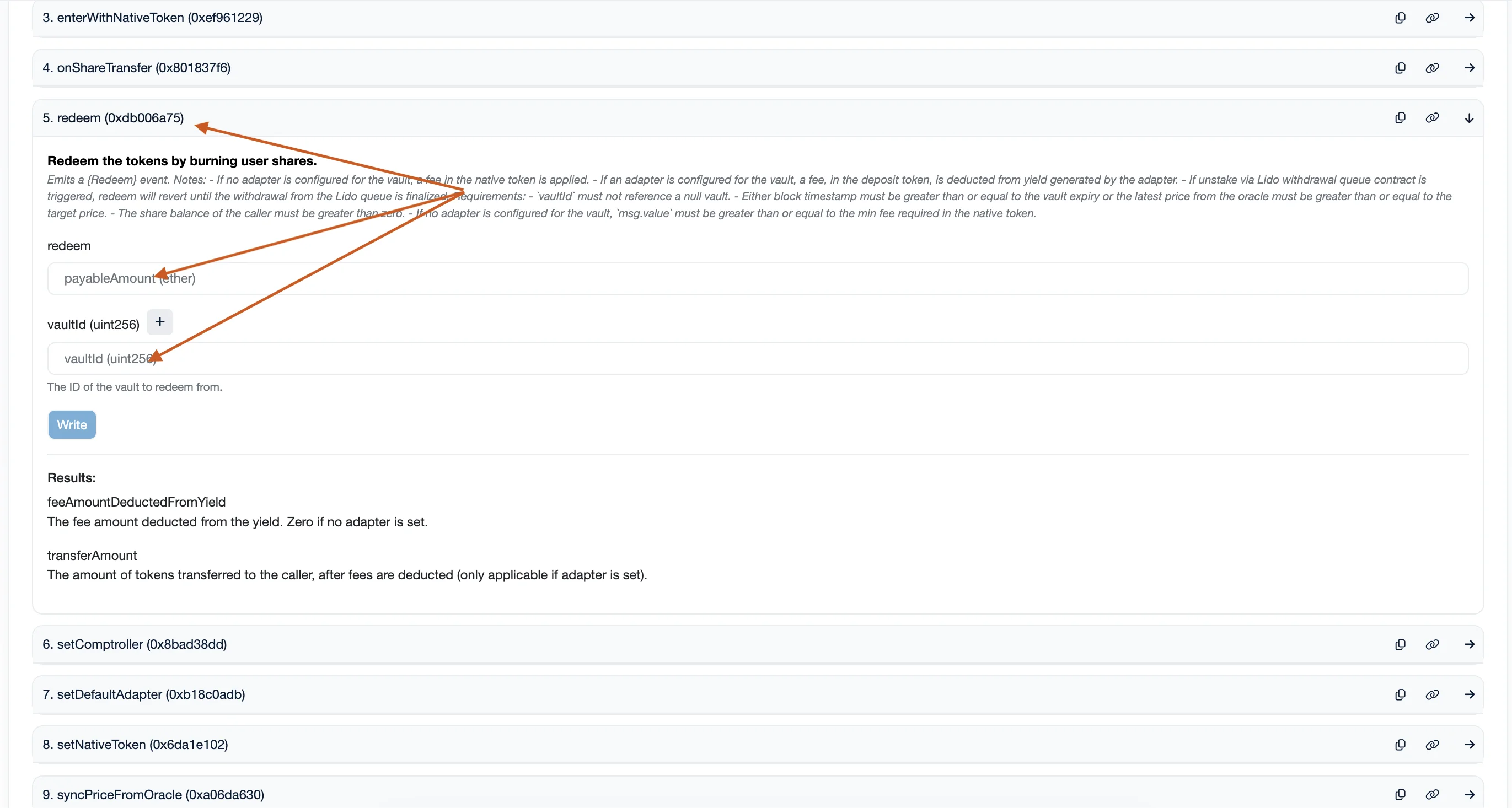
Click "Write" and confirm. Your share tokens will be burned and you will receive the underlying tokens (plus any yield, minus fees).
Syncing Price from Oracle
If you think that the last synced price is not accurate, you can sync it by calling syncPriceFromOracle function.
Open the syncPriceFromOracle method.
Vault ID
The ID of the active vault whose price you want to sync.
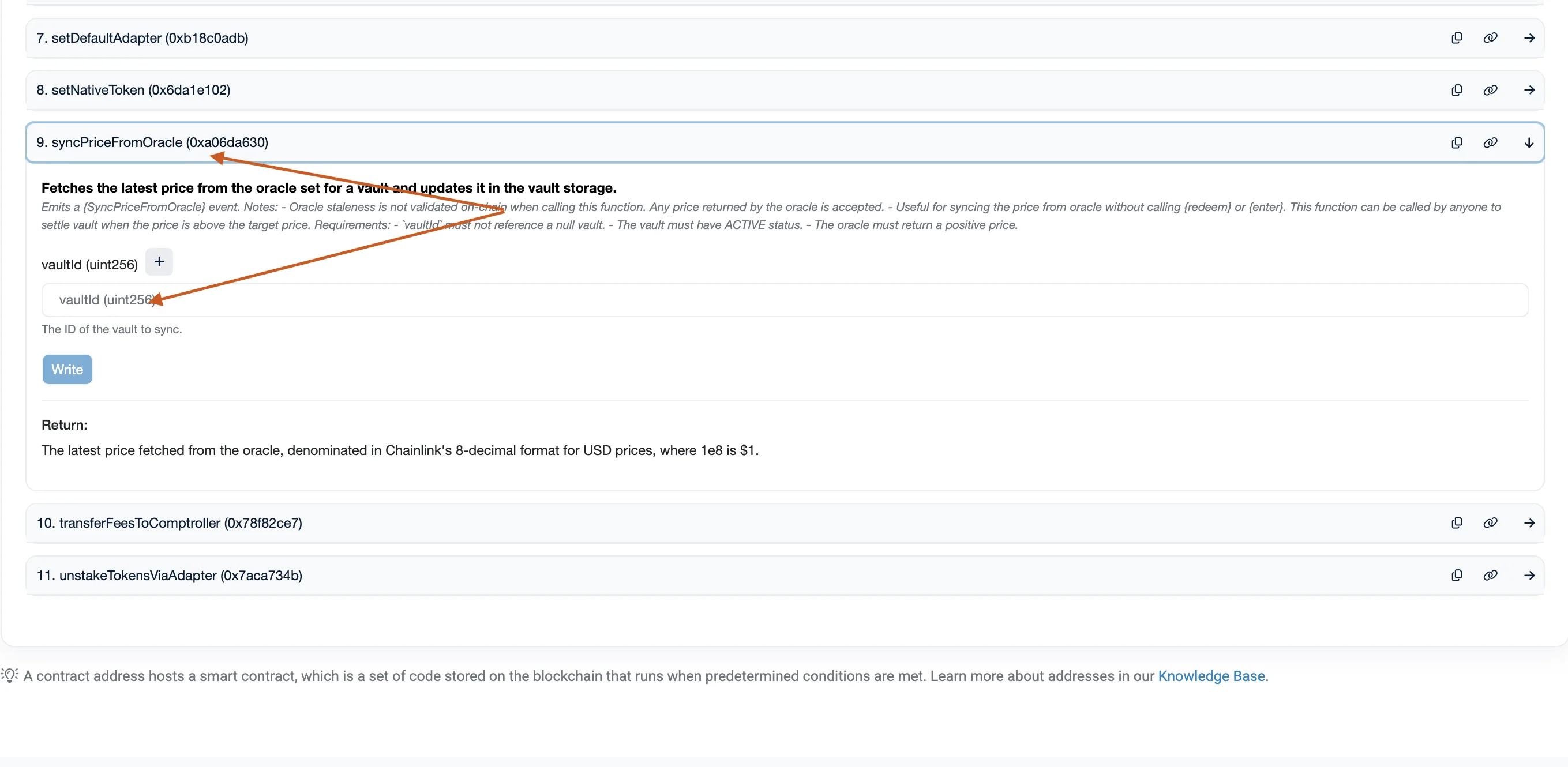
Click "Write" and confirm. The vault's lastSyncedPrice will be updated. If the new price meets or exceeds the target
price, the vault transitions to SETTLED.